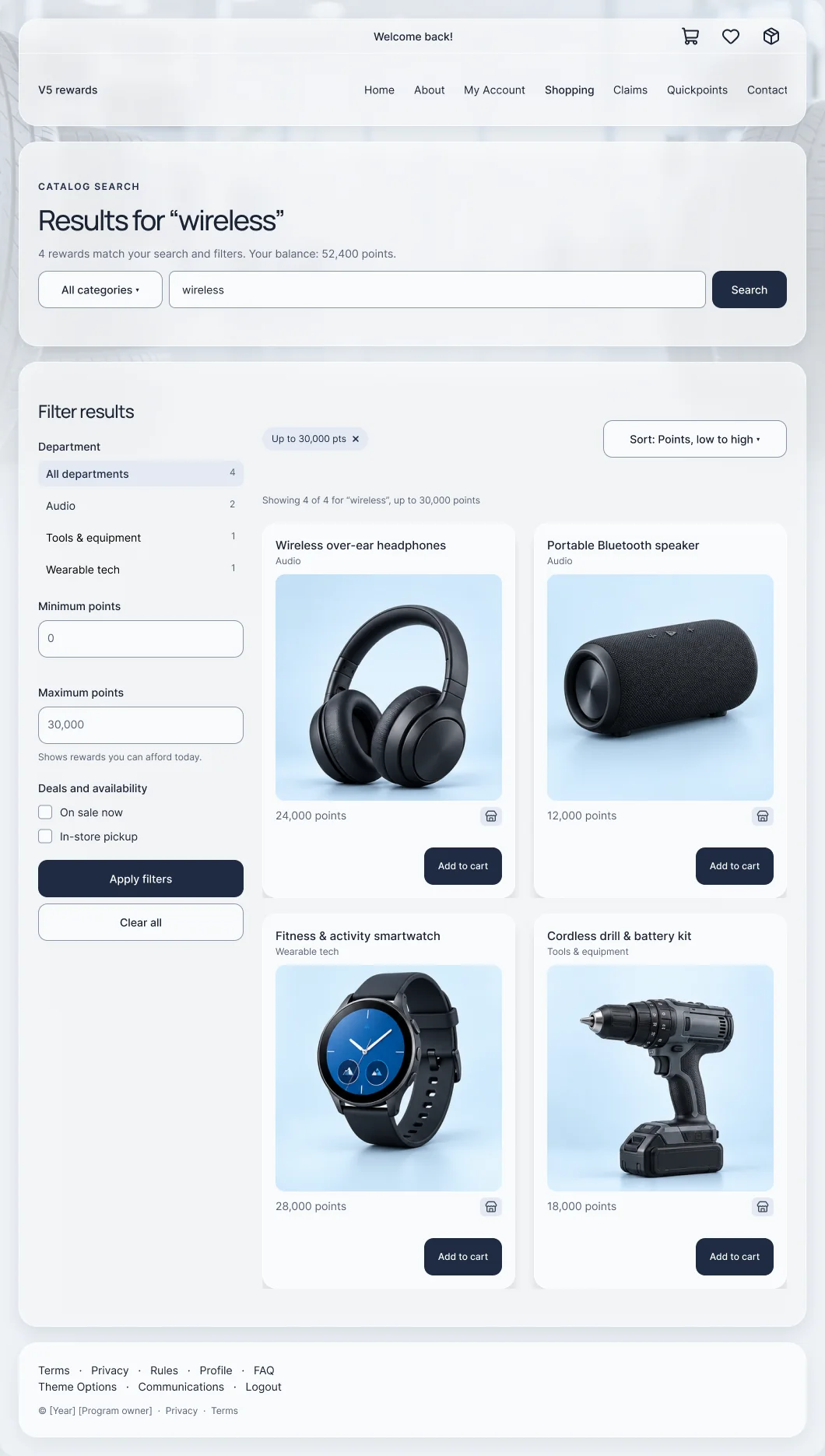
From a qualifying sale to a claim someone can trust
I built the frontend for a sales-claims feature, then audited it. The V5 flow settles eligibility before the form, keeps the proof connected during it, and says “pending validation” after Submit.
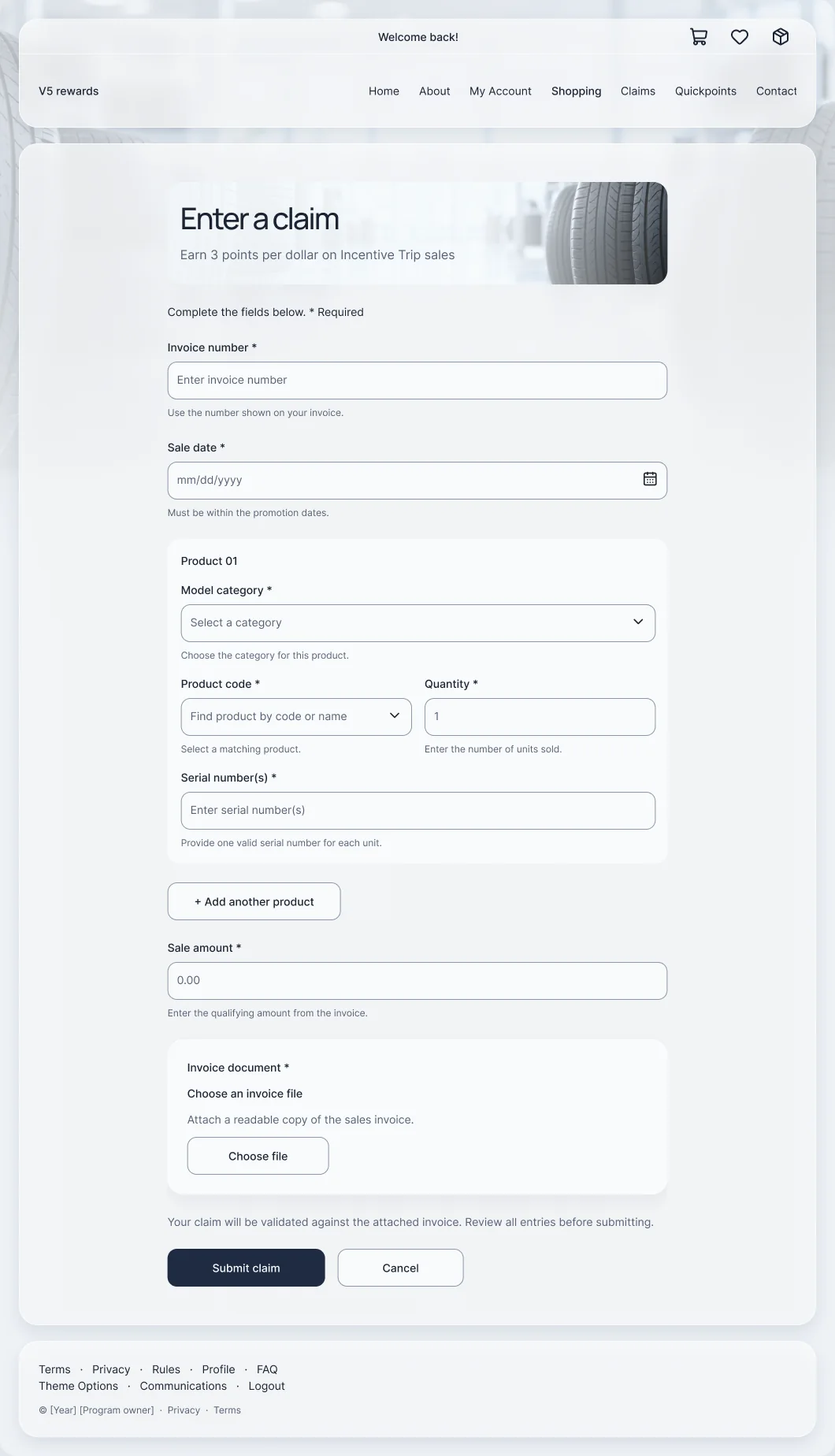
Frontend implementation for the 2024 launch, then the UX audit of the live experience.
Promotion rules → claim entry → invoice upload → status. Desktop and phone.
- Frontend implementation
- UX audit
- Form design
- Validation states
The 30-second version
For busy reviewersThe problem
Participants claim points by proving a qualifying sale. When the rules are buried, the form asks for proof people don’t have, and Submit feels final when it isn’t, trust breaks and support fills the gap.
What I did
I built the claims frontend for the 2024 launch, then audited the live experience against the three moments that shape trust: before the form, during entry, and after Submit.
The result
A V5 flow that puts the requirements next to the action, groups each product with its proof, and confirms receipt as “pending validation” with a reference, rather than implying approval.
A reward promise depends on the quality of the claim
Skim shows the decisions to support. Deep adds the full story.
The participant needs to know whether a sale qualifies and what proof to provide. The program team needs consistent information to validate it. A form sits between those needs, but the experience starts before the first field and continues after Submit.
This is a distinct feature inside the same enterprise platform as the V5 migration, with its own rules, its own form and its own review process.
- Before entry: does this sale qualify, and what will I need?
- During entry: which invoice, product and serial numbers belong together?
- After entry: was my claim received, and what happens next?
- Frontend implementation for the 2024 launch
- The UX audit of the live experience
- Recovery and validation recommendations
- Not owned: program rules or the review back office
Three decisions that shaped the flow
Each one lists the constraint, the call, and what it cost.
1 · Settle eligibility before the form
- Constraint
- The rules (sale dates, serial numbers, an invoice) sat in a long instruction block away from the action, and the archived screen even showed two different end years.
- Decision
- The promotion page leads with numbered requirements, an invoice-verification note and the offer beside one clear “Enter a claim” action. Unclear dates go back to the program owner instead of being guessed in code.
- Trade-off
- A longer page before the form. In return, fewer claims start without what validation needs.
2 · Keep the invoice, the product and the proof together
- Constraint
- Six fields, an unlabeled control, and product details only loosely grouped, so it was easy to submit mismatched information.
- Decision
- Persistent labels and helper text on every field; one product block for category, product code, quantity and serial numbers, with “Add another product”; the invoice upload as its own clearly scoped card.
- Trade-off
- A taller form. Each field now says what valid input looks like, which matters more than a short screen.
3 · Submitted isn’t approved
- Constraint
- Validation can take up to ten days, but nothing after Submit told participants whether a claim was received, under review or rewarded.
- Decision
- The confirmation shows “Status: Pending validation”, a claim reference, the invoice number and the time submitted, plus the validation window and a way back to promotions.
- Trade-off
- An honest “pending” is less celebratory than a success screen. It sets the right expectation and gives support a reference to look up.
One path from qualifying sale to submitted claim
The flow every claim follows.
- Check the promotion
Requirements, eligible period and invoice verification up front.
- Enter the sale
Invoice number and sale date, with helper text.
- Add products
Category, product code, quantity and serial numbers, grouped per product.
- Attach the invoice
One upload card with clear file guidance.
- Submit and track
Pending validation, claim reference and timing.
Same feature, before and after
Historical capture next to the V5 design. V5 designs, reconstructed from the shipped system and anonymized.
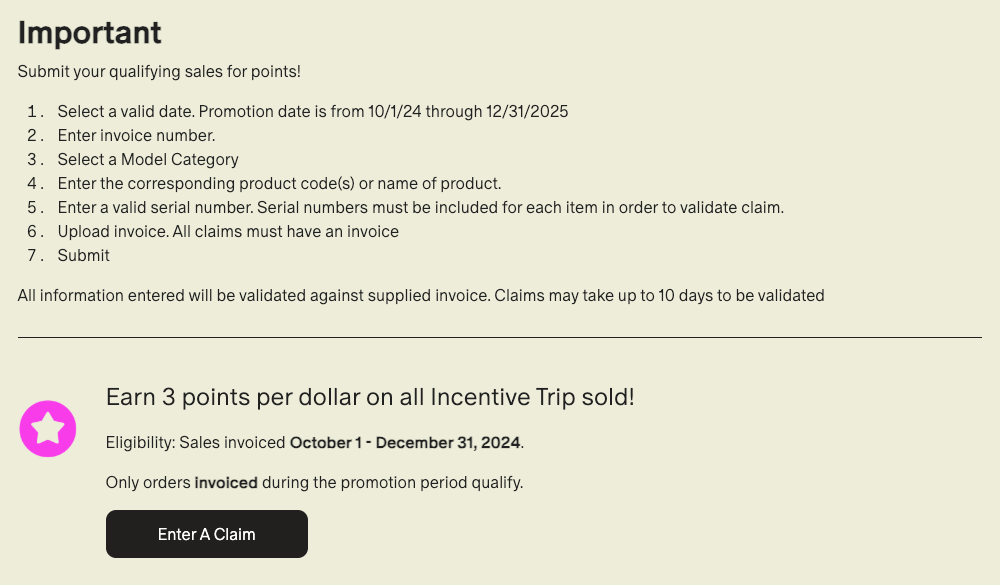
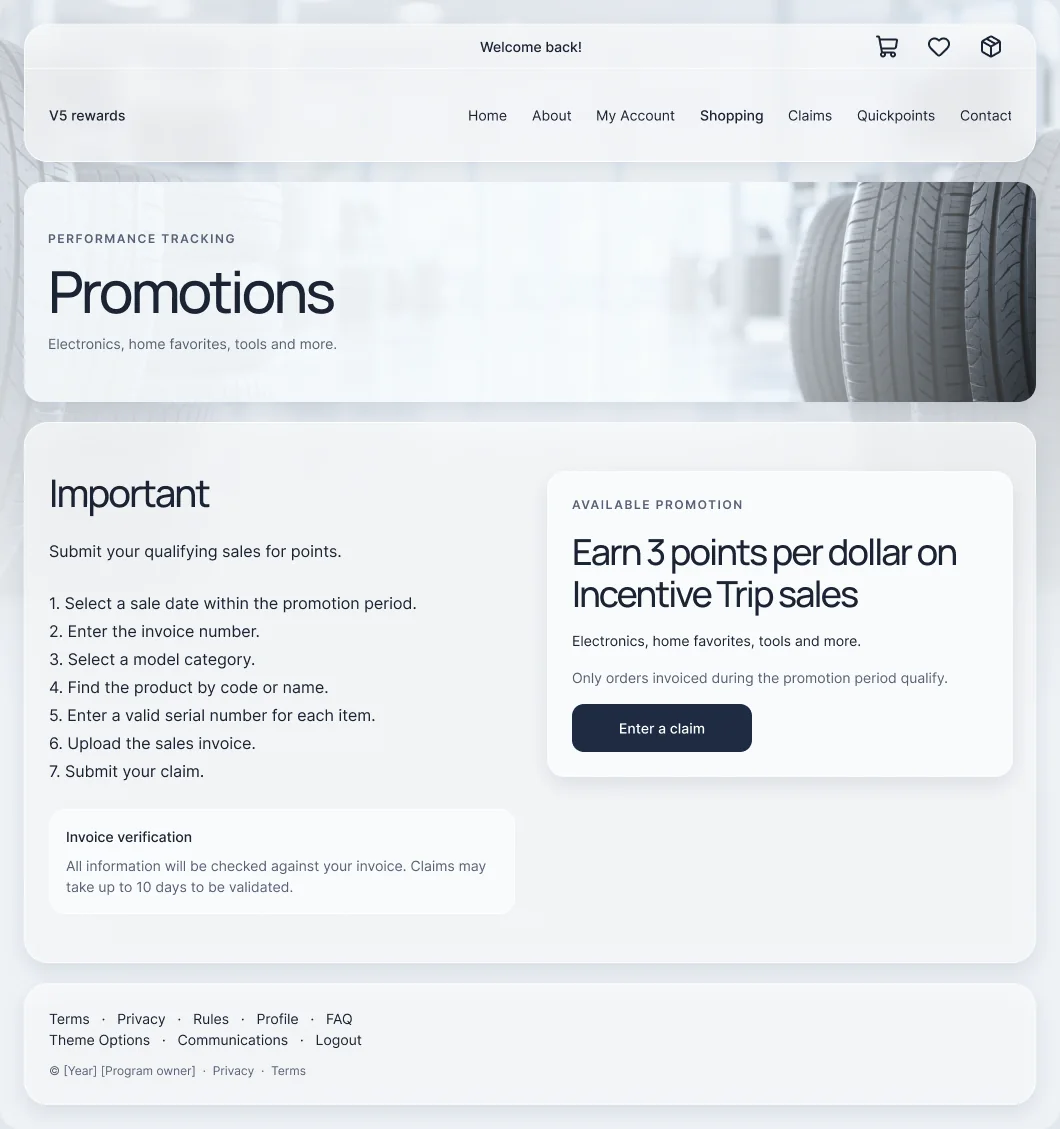
Before: historical promotion screen, 2024. After: V5 designs, reconstructed from the shipped system and anonymized.
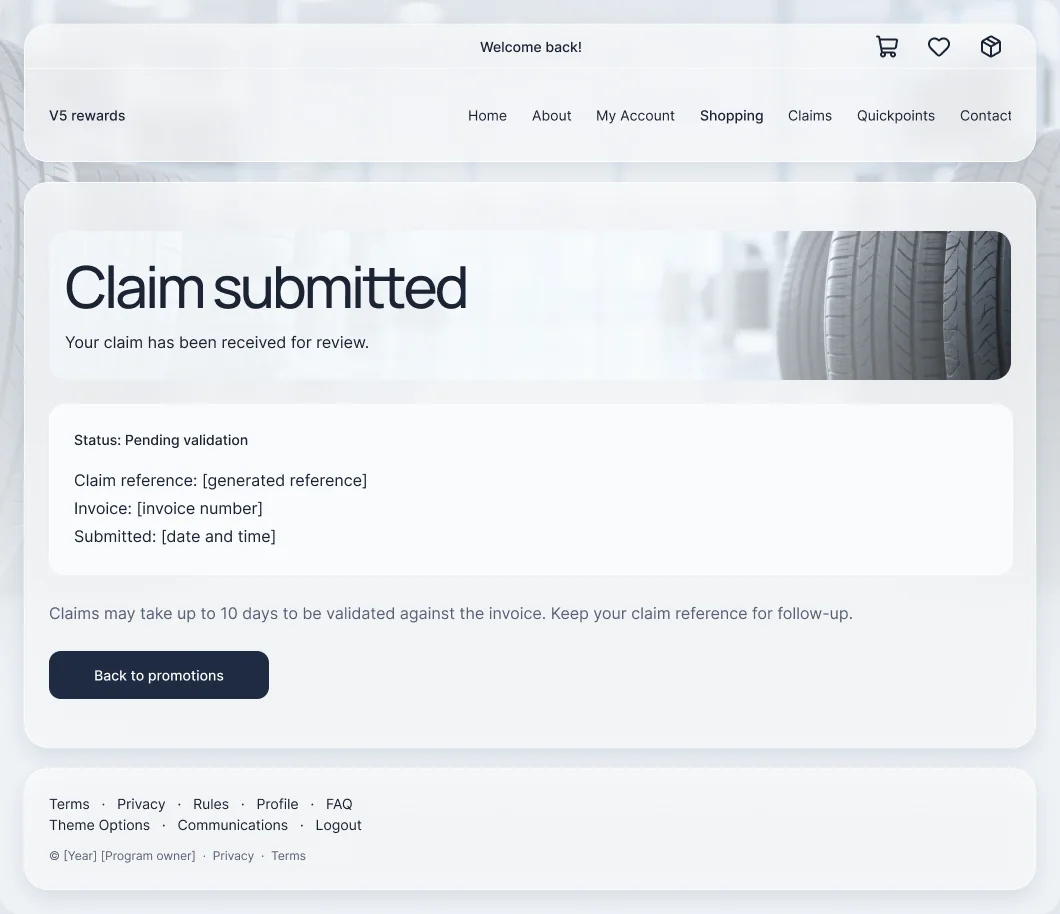
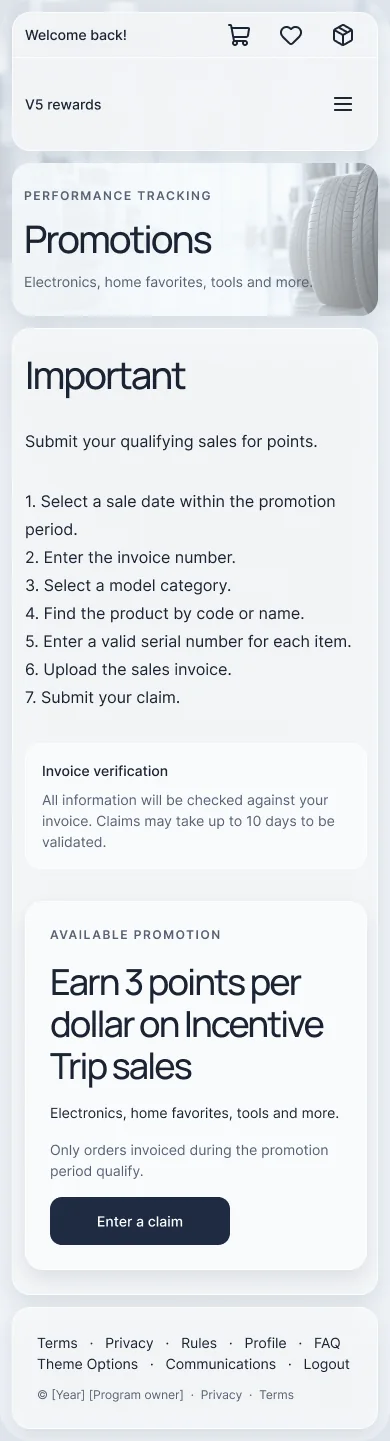

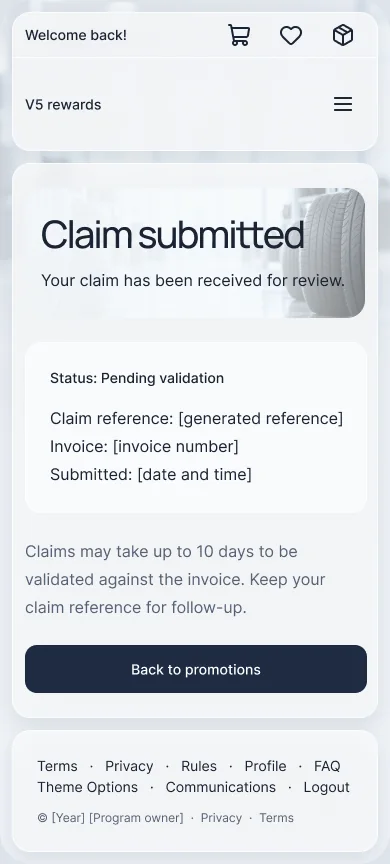
V5 designs, reconstructed from the shipped system and anonymized.
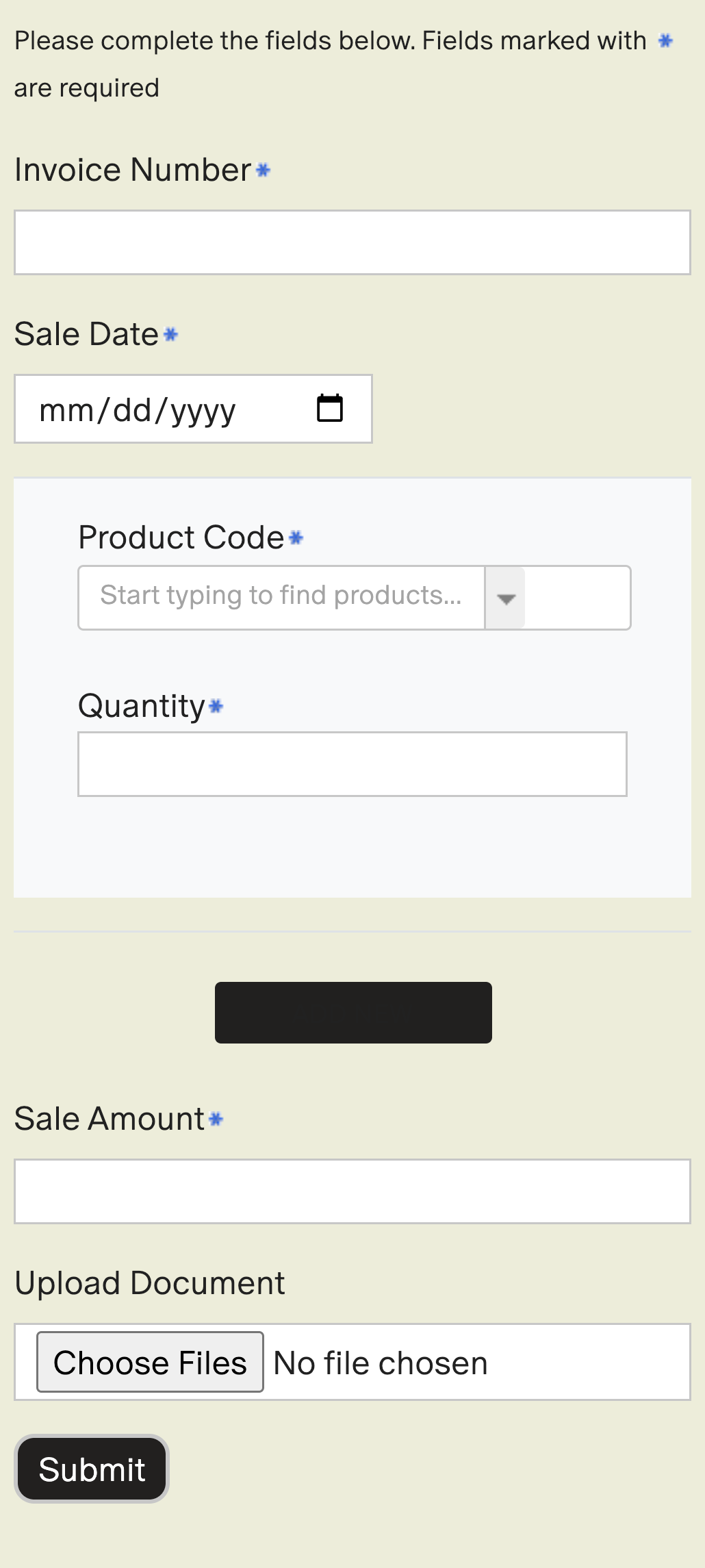
Historical UI · 2024 Left: the actual mobile capture.
V5 · reconstruction Right: the same task in the V5 system.
Received, reviewed and rewarded are different states
Validation messages in the V5 system, and the recovery checks I took into refinement.

Resolve the policy with the program owner before encoding a date rule or asking for a resubmission.
Name the field that needs correcting, say why, and keep everything else that was entered.
Explain the file problem, offer “Try again” and keep the rest of the claim.
Check whether a claim was received before encouraging another attempt. Duplicates go to engineering.
Show receipt separately from approval, with a reference and where to get help.
Confirm each decision and the next action. Approval and points posting can be separate events.
What the evidence supports, and what it doesn’t
Every number is labeled with how it was collected.
- The promotion-to-claim flow on desktop and phone, before and after.
- Where eligibility, proof and status were unclear, and how the V5 flow answers each.
- Concrete discussion points for product, design and engineering.
- No measured change in completion rate or support volume.
- The recovery checks are recommendations, not shipped behavior.
- The audit was a heuristic review, not a controlled usability study.
Edge cases and alternatives
Where the happy path needed more care, and what else was on the table.
Conflicting promotion dates
The archived instructions end in 2025 while the reward terms end in 2024.
Handling: confirm the rule with the program owner; never hard-code an unverified date.
A control with no visible label
The historical form had a dark control with no text or obvious purpose.
Handling: verify its purpose and accessible name in the live product before redesigning it.
One long form with all rules inline
Every requirement repeated next to every field. Thorough, but heavy, and easy to skim past the one rule that matters.
Retrospective comparison, not a documented rejected proposal.
A step-by-step wizard
One question per screen. Calm on a phone, but it hides how invoice, product and proof relate to each other.
Retrospective concept, not a documented historical proposal.
Switch to Deep for edge cases and alternatives.
Make the rules dependable before making it celebratory
My audit first pushed for more energy, stronger hierarchy and richer feedback. Looking back, the first priority is the contract with the participant: one eligibility rule, understandable requirements, and a clear line between sending a claim and receiving a reward.
Progressive disclosure could shorten the page, but hiding essential rules would create a different problem. I would keep verified prerequisites visible and test whether contextual guidance helps people finish without going back.
- Align the program owner, product, engineering and support on one eligibility rule and the real review states.
- Turn confirmed rules into acceptance criteria and focused unit tests. Leave unresolved policy out of hard-coded checks.
- Test keyboard use, file selection, correction and interrupted submission on the live product.
- Baseline completion, correction reasons, duplicate attempts and status-related support contacts before judging a change.